

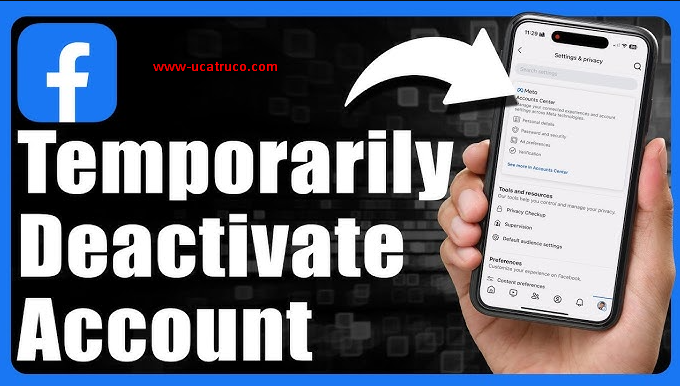
Facebook is one of the most popular social networking platforms in the world. People use it to share their personal lives, stay updated, and even for professional networking. However, users may sometimes need to temporarily or permanently deactivate their Facebook accounts.
This is often required for personal privacy, social media management, or account security concerns. Facebook provides its users with two options: temporary deactivation and permanent deletion.
Temporary deactivation means your account and profile will be hidden, but you can regain access later using your login credentials. This option is ideal for users who want to take a break or maintain their privacy without permanently deleting their content.
How to Temporarily Disable Your Facebook Account
Temporarily deactivating your Facebook account means your account and profile will be hidden. The major benefit of this option is that you can reactivate your account whenever you want. When you temporarily deactivate your account, your profile, photos, posts, and friends are hidden from other users, but Facebook keeps all your data saved.
Step-by-Step Guide to Temporarily Disable Your Facebook Account
- Log in to your Facebook account.
- Click on the arrow or your profile picture at the top-right corner and select Settings & Privacy.
- Click on Settings.
- From the left-side menu, click Your Facebook Information.
- Click on Deactivation and Deletion.
- Choose Temporarily Deactivate Account.
- Select a reason for deactivation and follow the on-screen instructions.
- Click the Deactivate button.
After completing these steps, your account will be temporarily deactivated. You can reactivate it at any time by simply logging in with your credentials.
Read also: Free Fire Unban in India 2026 – Latest Official Update, Return Date & Current Status
How to Permanently Disable Your Facebook Account
Permanently deleting your Facebook account means that all your data will be permanently removed from Facebook. Once this is done, you will not be able to access your account again. This option is suitable for users who no longer want to use Facebook or want to permanently maintain their digital privacy.
Step-by-Step Guide to Permanently Delete Your Facebook Account
- Log in to your Facebook account.
- Click on the arrow or your profile picture at the top-right corner and select Settings & Privacy.
- Click on Settings.
- From the left-side menu, click Your Facebook Information.
- Click on Deactivation and Deletion.
- Choose Permanently Delete Account.
- Follow the on-screen instructions and click the Delete Account button.
Facebook provides a grace period, during which you can cancel the deletion by logging in. After the grace period, your profile, photos, posts, messages, and all other data will be permanently removed.
Temporary vs Permanent Disable
| Feature | Temporary Disable | Permanent Delete |
|---|---|---|
| Account Status | Hidden | Removed |
| Data Availability | Saved | Deleted |
| Reactivation | Possible | Not Possible |
| Duration | Unlimited until login | Permanent |
Temporary deactivation is ideal for users who want to take a break from social media, while permanent deletion is suitable for those who want to completely remove their digital footprint.
Benefits of Disabling Your Facebook Account
Here’s a professional, SEO-friendly English rewrite of your points, keeping them clear and readable:
- Maintain Privacy: You can temporarily or permanently hide your personal life and posts from others.
- Take a Social Media Break: Users can enjoy a stress-free break from social media.
- Enhance Security: If your account is compromised, disabling it is a safe option.
- Digital Cleanup: Permanent deletion helps reduce your digital footprint.
I can also turn these points into a short, SEO-friendly benefits section for your full article, making it more engaging and search-optimized.
Important Tips Before Disabling a Facebook Account
Here’s a professional, SEO-friendly English rewrite of your points:
- Backup Your Data: Even if your account is disabled, you can save photos, videos, and messages by creating a backup.
- Check Linked Apps: Many apps are connected through Facebook login. Review and manage these connections before deactivating your account.
- Inform Friends: If you are temporarily deactivating your account, it’s helpfull to let your close friends know why you’re inactive.
I can also combine all your guides, benefits, and tips into a full SEO-optimized article about Facebook account deactivation and deletion.
Frequently Asked Questions
What does it mean to temporarily disable my Facebook account?
Temporarily deactivating your account hides your profile, posts, and friends, but you can reactivate it at any time by logging back in.
How is permanent deletion different from temporary deactivation?
Permanent deletion removes all your data from Facebook, and you cannot recover your account once the deletion is complete. Temporary deactivation only hides your account.
Can I reactivate my account after temporary deactivation?
Yes! You can reactivate your account at any time using your login credentials.
Will my messages disappear if I temporarily disable my account?
No. Your messages to friends will still be visible, even if your profile is hidden.
How long does Facebook keep my data before permanently deleting it?
Facebook provides a grace period (usually 30 days), during which you can cancel the deletion by logging in.
Do I need to back up my data before disabling my account?
It’s recommended to back up photos, videos, and posts if you want to keep them for future use.
What happens to my linked apps if I disable my Facebook account?
Apps that use Facebook login may stop working until you reactivate your account. You can also review linked apps before deactivating.
Conclusion
Disabling your Facebook account—whether temporarily or permanently—gives you control over your privacy, security, and digital presence. Temporary deactivation is ideal for users who want a break from social media while keeping their data intact. In contrast, permanent deletion is suitable for those who want to completely remove their digital footprint. By following the step-by-step guides and considering tips like backing up data, reviewing linked apps, and informing friends, you can make the process safe, efficient, and stress-free.
